Counting guests

Table of Contents
PRO XS Note
Info for orderbird PRO XS customers
If you are using our orderbird PRO XS, this function is not avaiable. You can find an overview of what is included in your license package here: orderbird PRO vs. orderbird PRO XS.
From orderbird Version 5.5 you have the feature guest counting! Simply tap on "guests" in the orderpad when you take up an order to use the guest counter and enter the number of guests sitting at the table. orderbird will automatically add up all guests you had during a day or a shift, respectively. You can also go to MY orderbird to find out how many guests visited you throughout the year (or the week or the month) as well as the average turnover of a customer.
In a nutshell
- Open the orderpad in your orderbird app to take a new order at a table. Tap on "guests" on top of the order list to enter the number of guests.
- After closing the shift, you can find the daily results in the section “reports”. If you would like to evaluate more extended periods or per capita sales, just go to my.orderbird.com.
- If you would like the counting to be mandatory every time you open a new table, you can activate the force input in the main menu > settings > orderpad > count guests. Keep in mind that this setting will not be applied while working with the table “counter”.
Step by step
Using the guest counting function
- Make sure all your devices fly with orderbird version 5.5.
- Open a new shift and go to your orderpad.
- Open a new table.
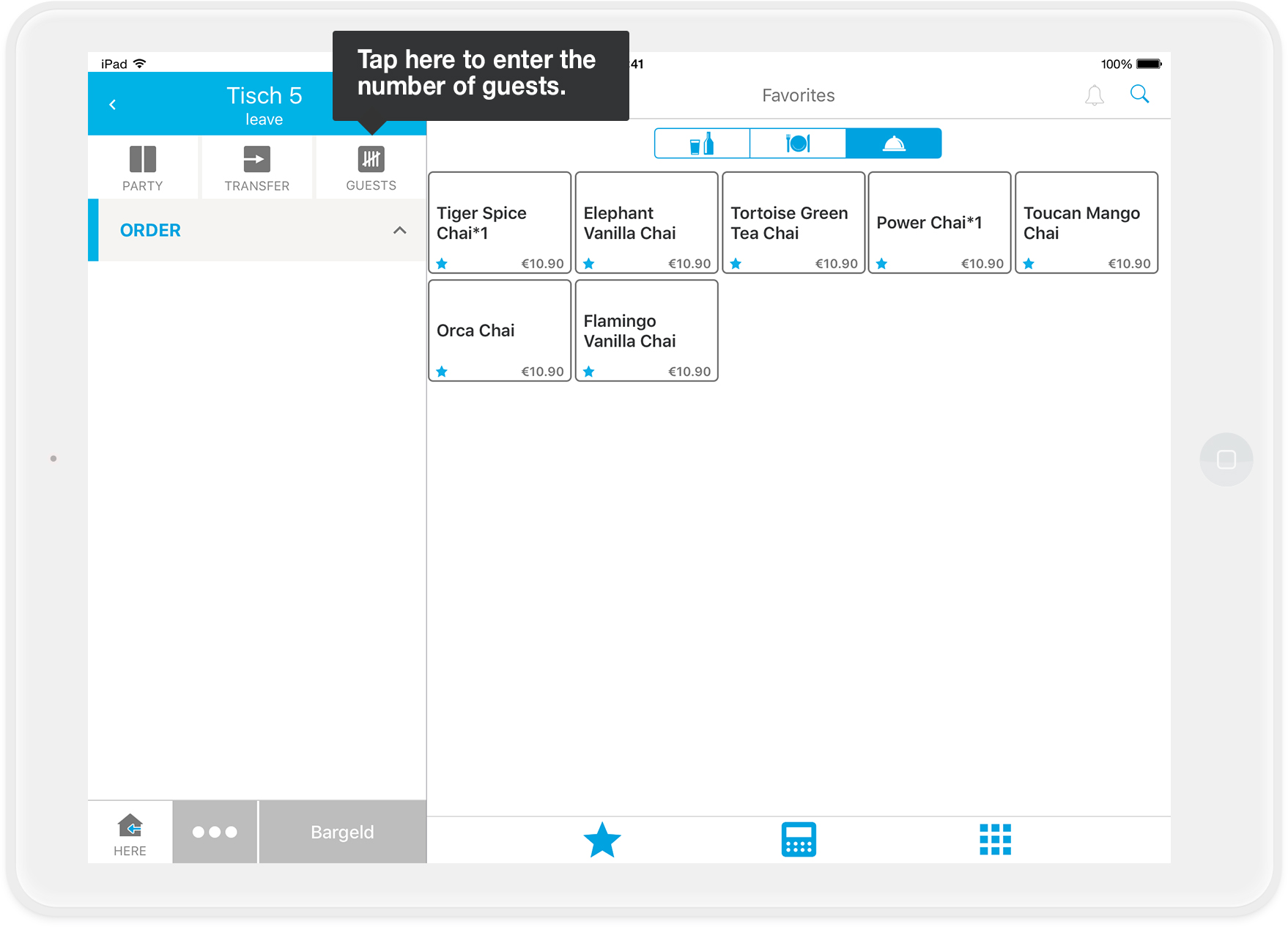
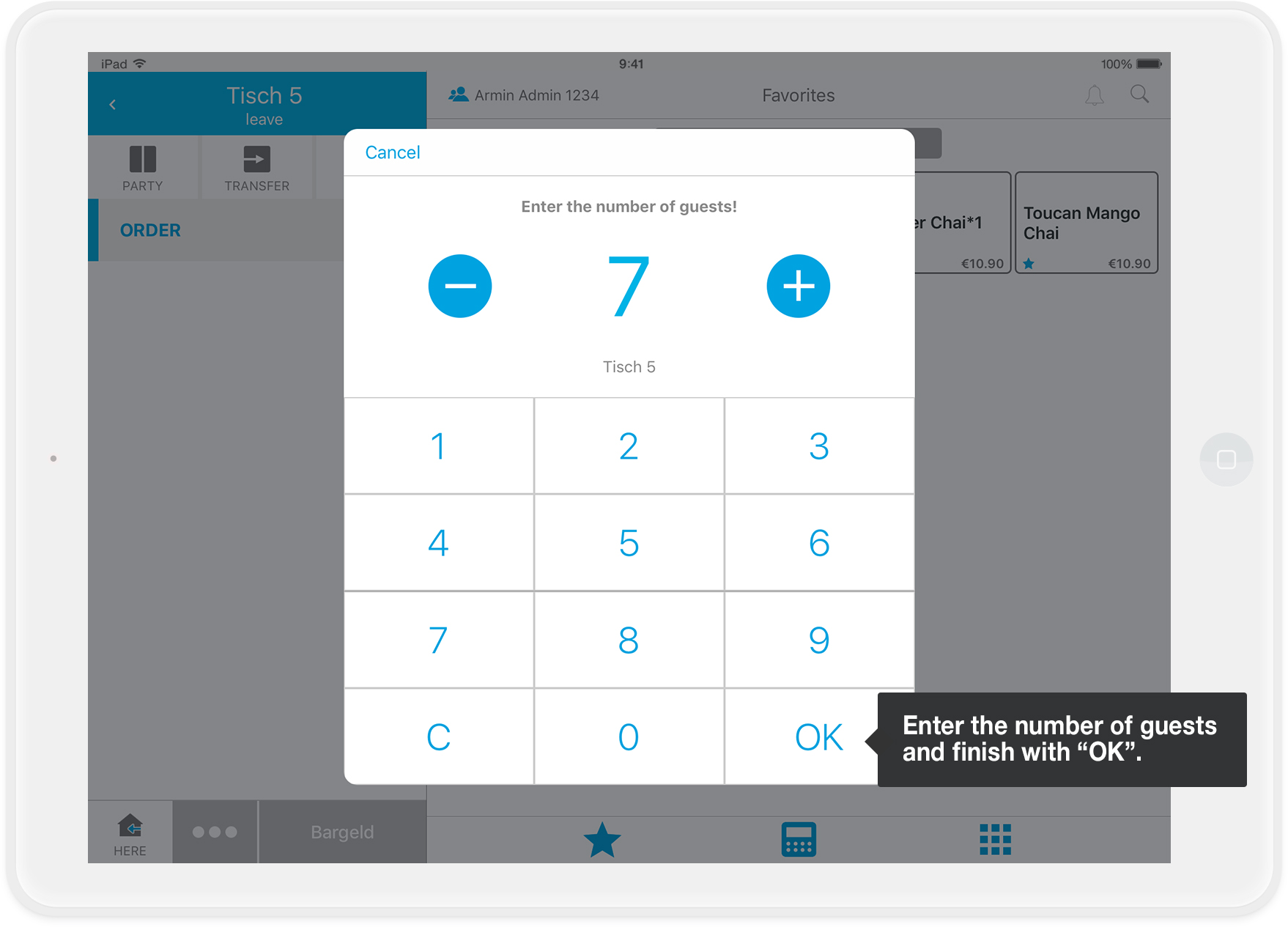
- Tap the button "guests" and enter the current number of guests at your table.
Tip
You’ll be able to change the number of guests as long as the table is open. Simply tap on the button "guests" again to update the number.
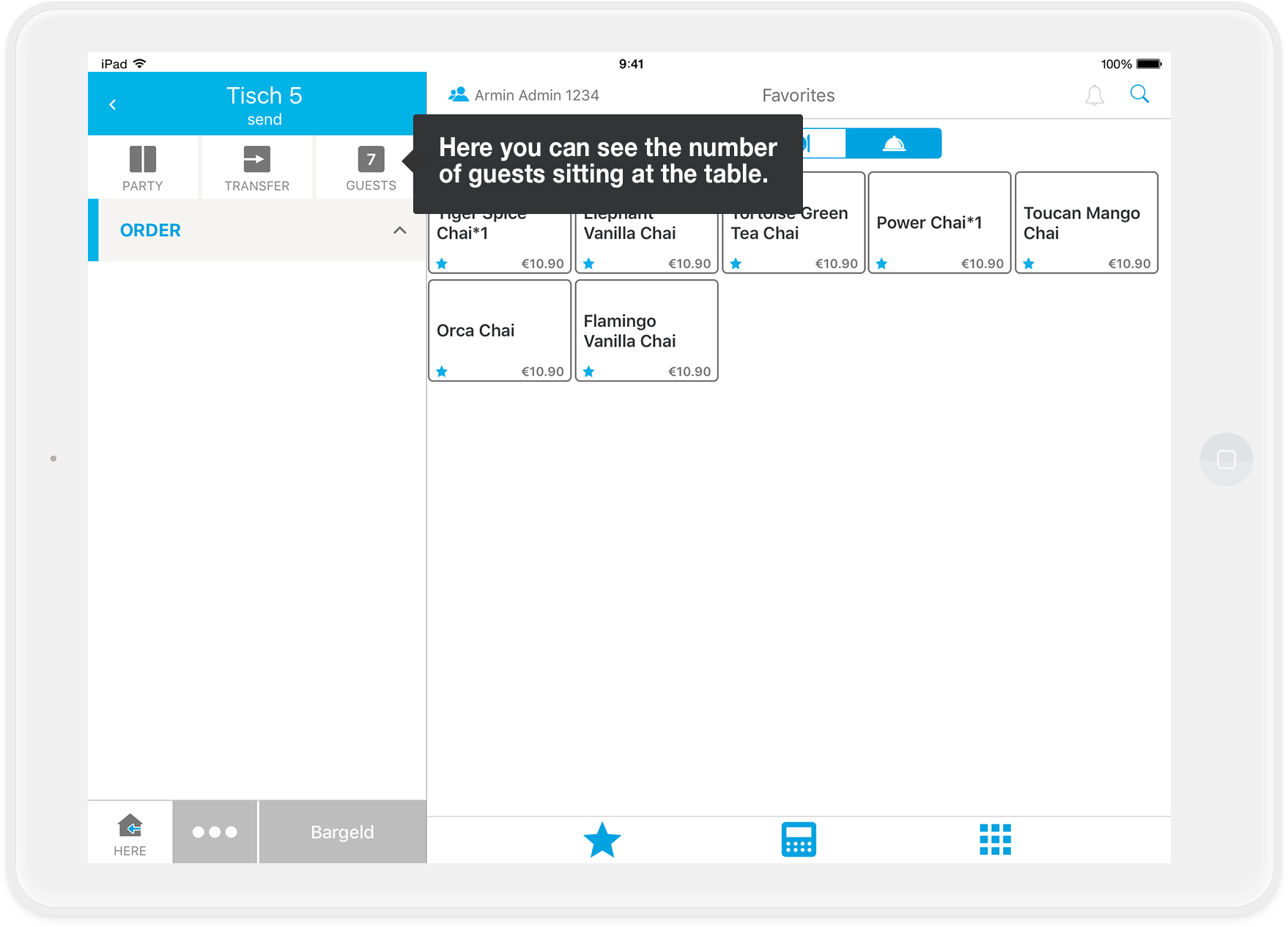
- Now you can see how many guests are sitting at this table.
- Done! :)
Once you close the shift, the total number of guests will be calculated.
Evaluate the number of guests in your app
- Make sure the shift for the period you would like to evaluate is closed.
- Go to the main menu and tap on "Reports".
- Choose between the tabs "shift" or "day" to see the relevant report(s).
- Select the Z- or day report that you want to look at by tapping on it.
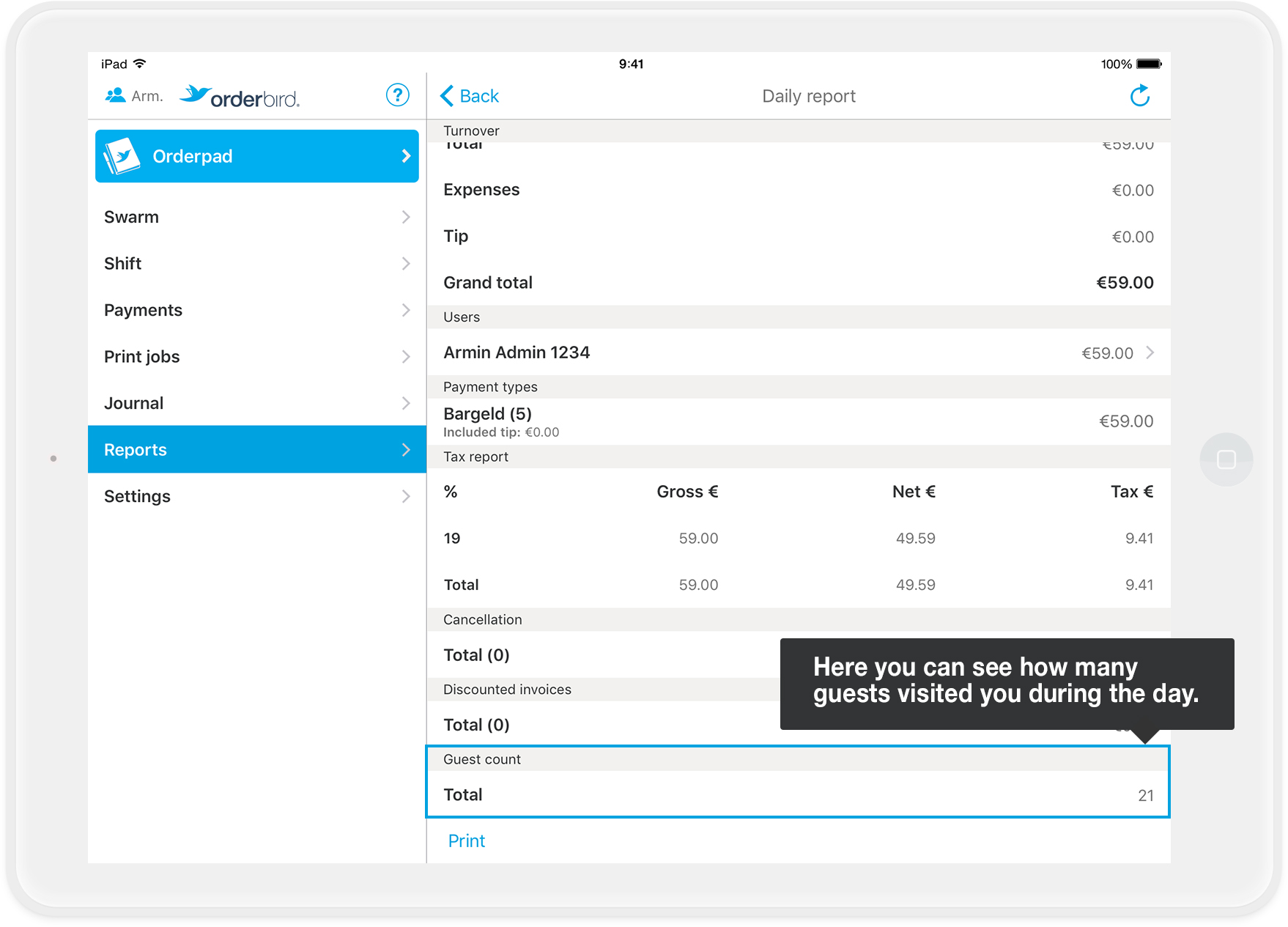
- Scroll to the end of the report. Here you will find the total number of guests for this period. In our example, we looked at the shift report.
- MY orderbird offers even more information for you: You can see the average per capita revenue for your guests, and you can track how many people have visited your venue - per week, month or in a year. You can find more information in the article "How can I analyze the number of guests and the average turnover of a customer with my.orderbird.com?".
Any questions?
Can I turn on a reminder to count the guests?
Yes, and it’s quite easy:
- When you are in the main menu of orderbird, go to settings> orderpad> count guests.
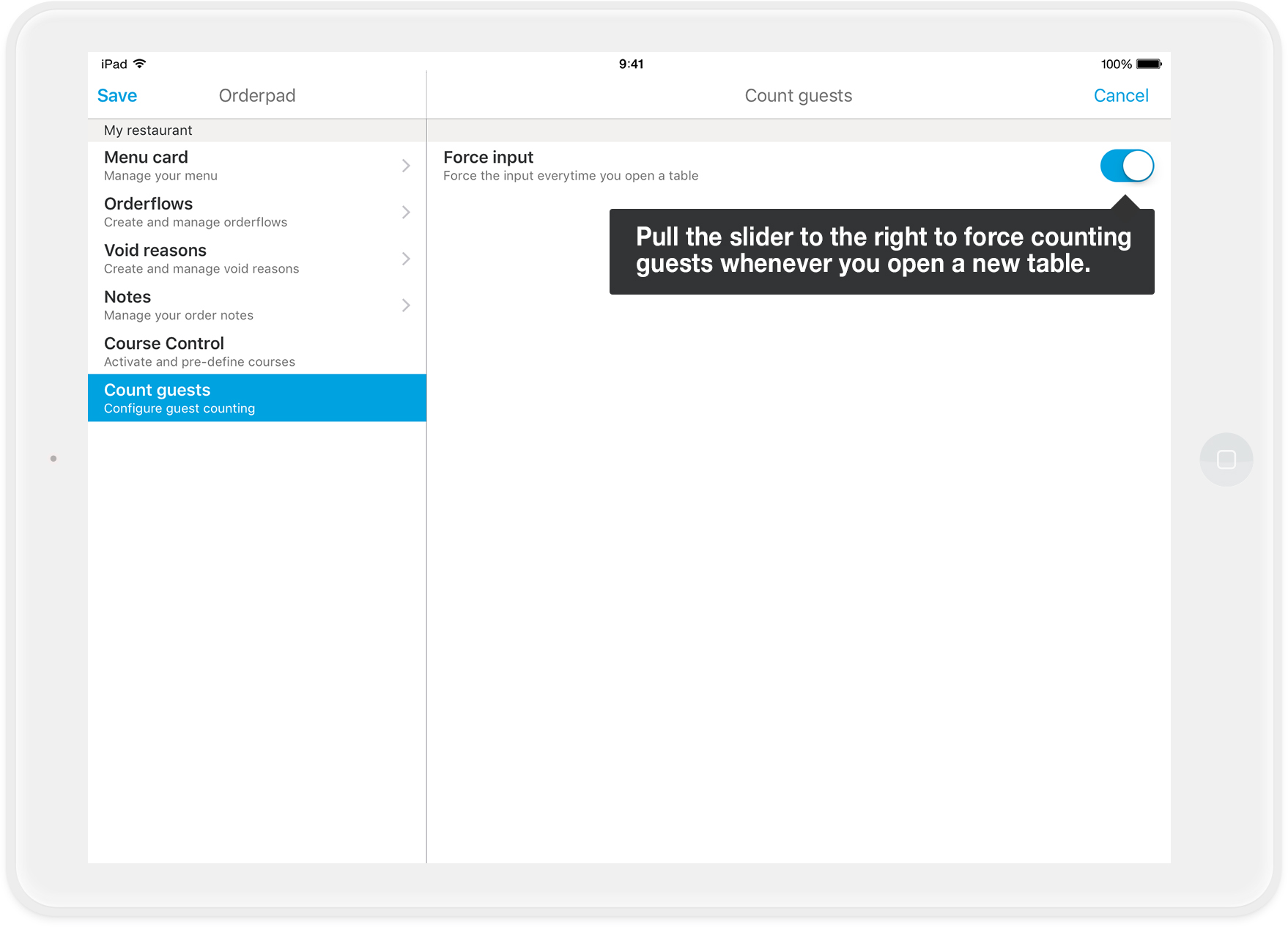
- Activate "force input" by tapping on the switch on the right side to turn it blue. Confirm your changes by tapping on "Save" in the upper left corner.
- Each time you open a new table, you will now be prompted to enter the number of guests. Now it’s impossible to forget the entry.
Is it possible to change the number of guests?
It is possible, no problem. You are able to adjust the number of guests any time until you closed off the table. So please be sure to have entered the correct number before you start billing the table.
How can I see how many guests were served by a waiter?
Unfortunately, this is not possible. Currently, the number of guests can only be evaluated per table.