Contact Us

If you still have questions or prefer to get help directly from an agent, please submit a request.
We’ll get back to you as soon as possible.

Please fill out the contact form below and we will reply as soon as possible.

  • Knowledge Base MINI
  • Contact us
English (US)
US English (US)
DE German
  • Home
  • Expand your orderbird PRO
  • orderbird PRO Cashbook
  • Your daily interaction with your orderbird cashbook

How can I export the data from my Cashbook as a CSV file?

Written by Jens B.

Updated at September 25th, 2024

Contact Us

If you still have questions or prefer to get help directly from an agent, please submit a request.
We’ll get back to you as soon as possible.

Please fill out the contact form below and we will reply as soon as possible.

  • First Steps
    Hello new Bird! About your Apple devices Step 1: How to set up your network Step 2: MY orderbird Step 3: How to install and set up the app Step 4 - How to serve your first guest Step 5 - Card payment with orderbird PRO
  • Working with orderbird PRO
    Working Settings Fiscalization in Austria (RKSV) "Kassensicherungsverordnung" in Germany orderbird PRO - Versions and Updates
  • Card payment
    Your start with card payment with orderbird PRO and Worldline Your start with card payment with orderbird PRO and Nexi Germany Your start with American Express Working with orderbird card payment Pay Terminal Plus (WiFi card reader) Pay Terminal One (Bluetooth card reader) Card payment on the smartphone
  • Analyze your sales
    Reports on orderbird PRO The DATEV export Reports on MY orderbird
  • Printer & Network
    Printer Network
  • Expand your orderbird PRO
    orderbird PRO Cashbook orderbird Gift Cards Bestellmanagement
  • MY orderbird - Your orderbird business account
    Your account settings on MY orderbird
+ More

Table of Contents

In a nutshell CSV export of cash register sheets - step by step Any questions? Is it possible to export the receipt photos?

You need an export of several Cashbook pages from more than one day? Via MY orderbird you can now export the data of your Cashbook pages as a CSV file. The CSV-format can be easily imported into any common tax software.


In a nutshell

  • Log in to MY orderbird
  • Click on "Cashbook", then on "Create CSV export"
  • Select the start and end date
  • Enter an email address
  • Click on "Send CSV export"

CSV export of cash register sheets - step by step

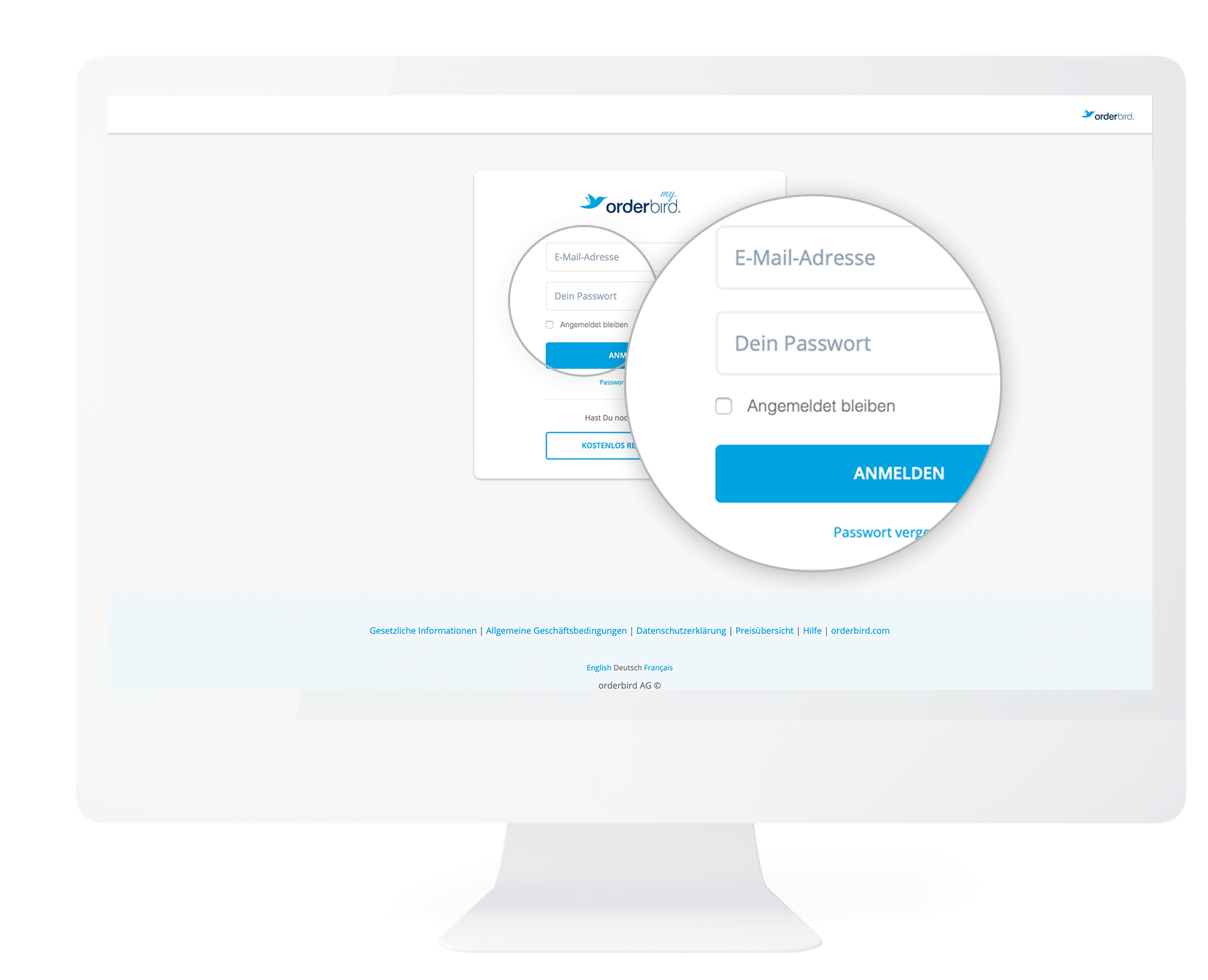
  1. Go to MY orderbird and log in with your e-mail-address and password.
    my.orderbird_EN_kassenbuchbl_tter_export_01.png
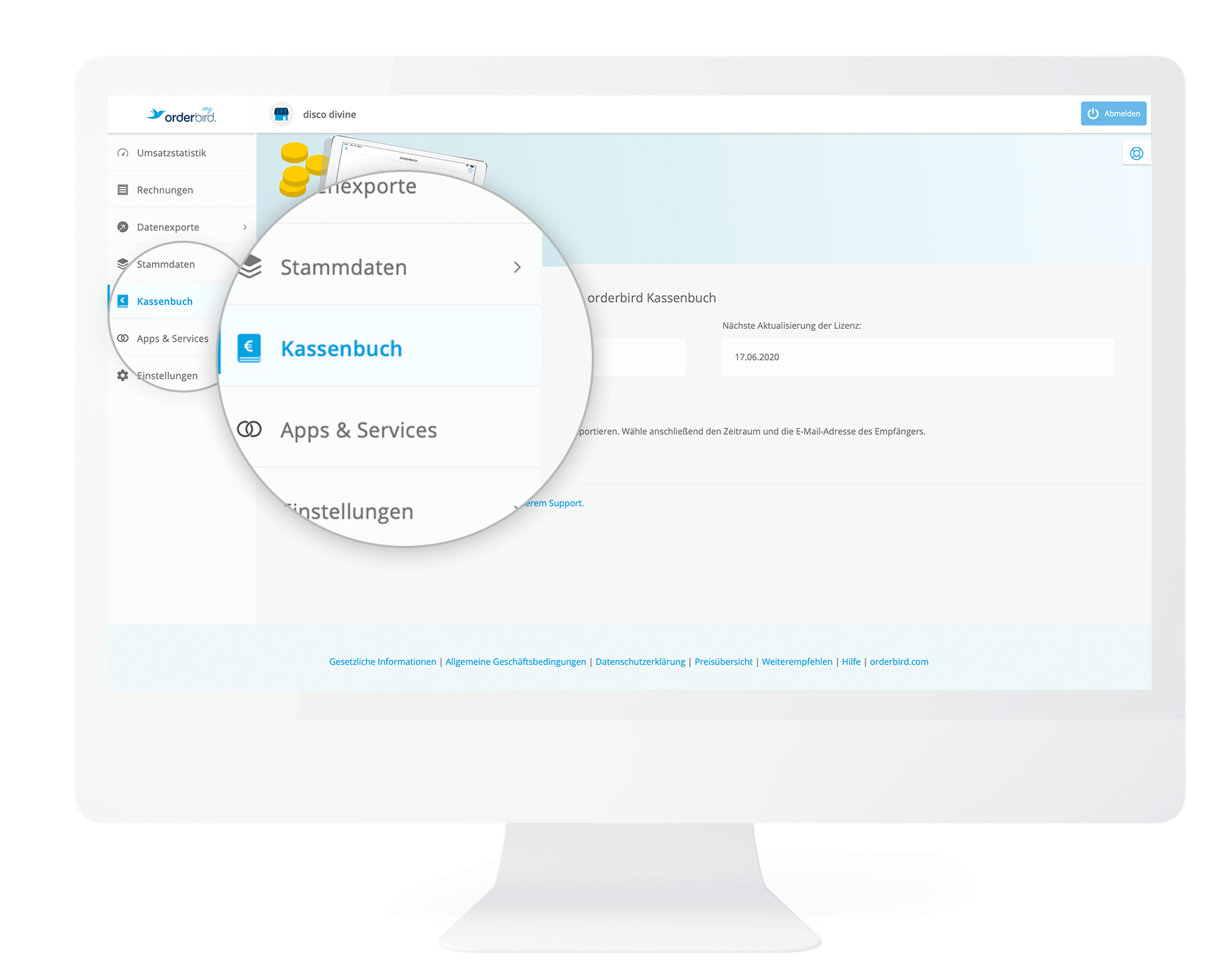
  2. In the left column click on "Cashbook".
    my.orderbird_EN_kassenbuchbl_tter_export_02.png
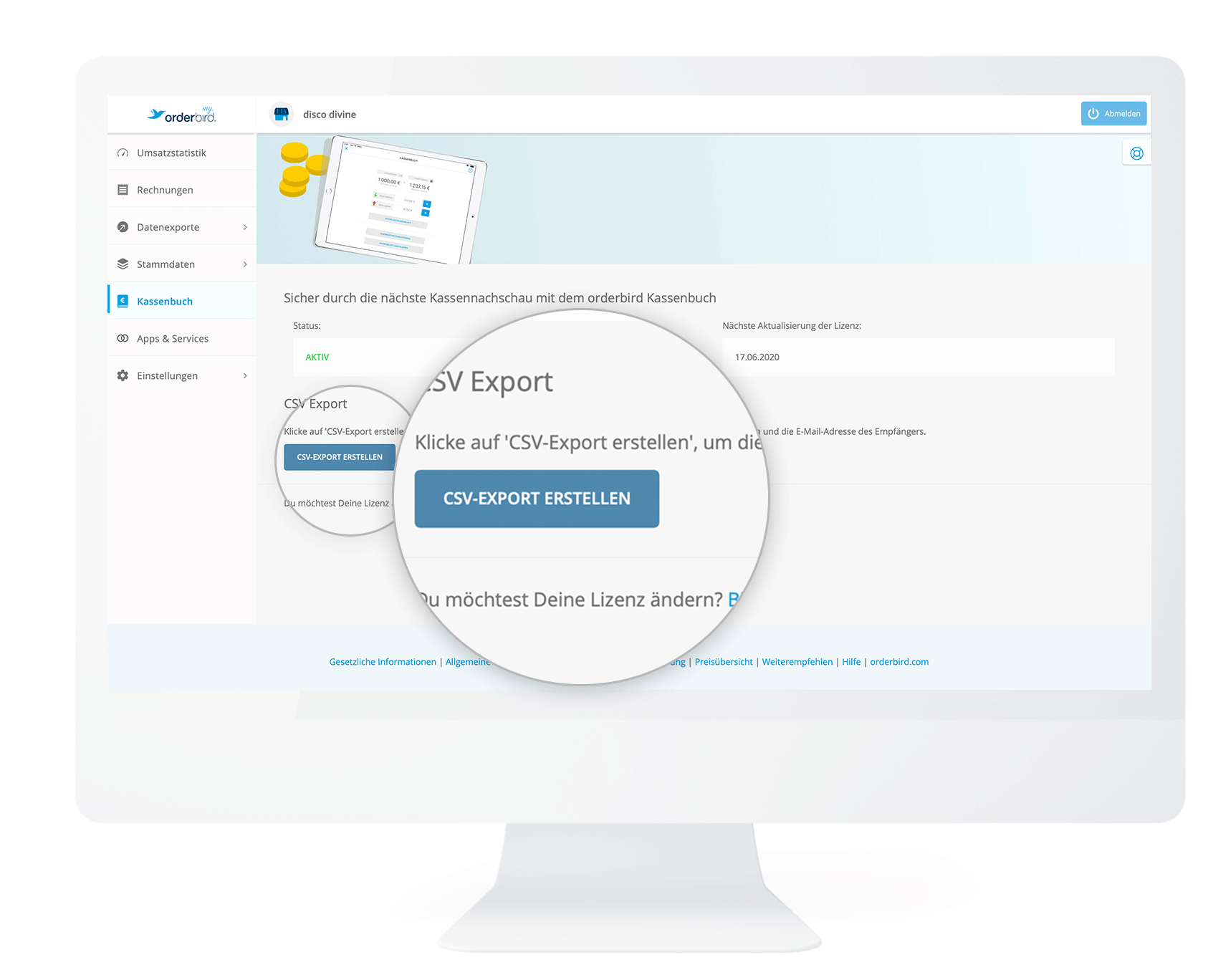
  3. Now click on the button "Create CSV export".
    my.orderbird_EN_kassenbuchbl_tter_export_03.png
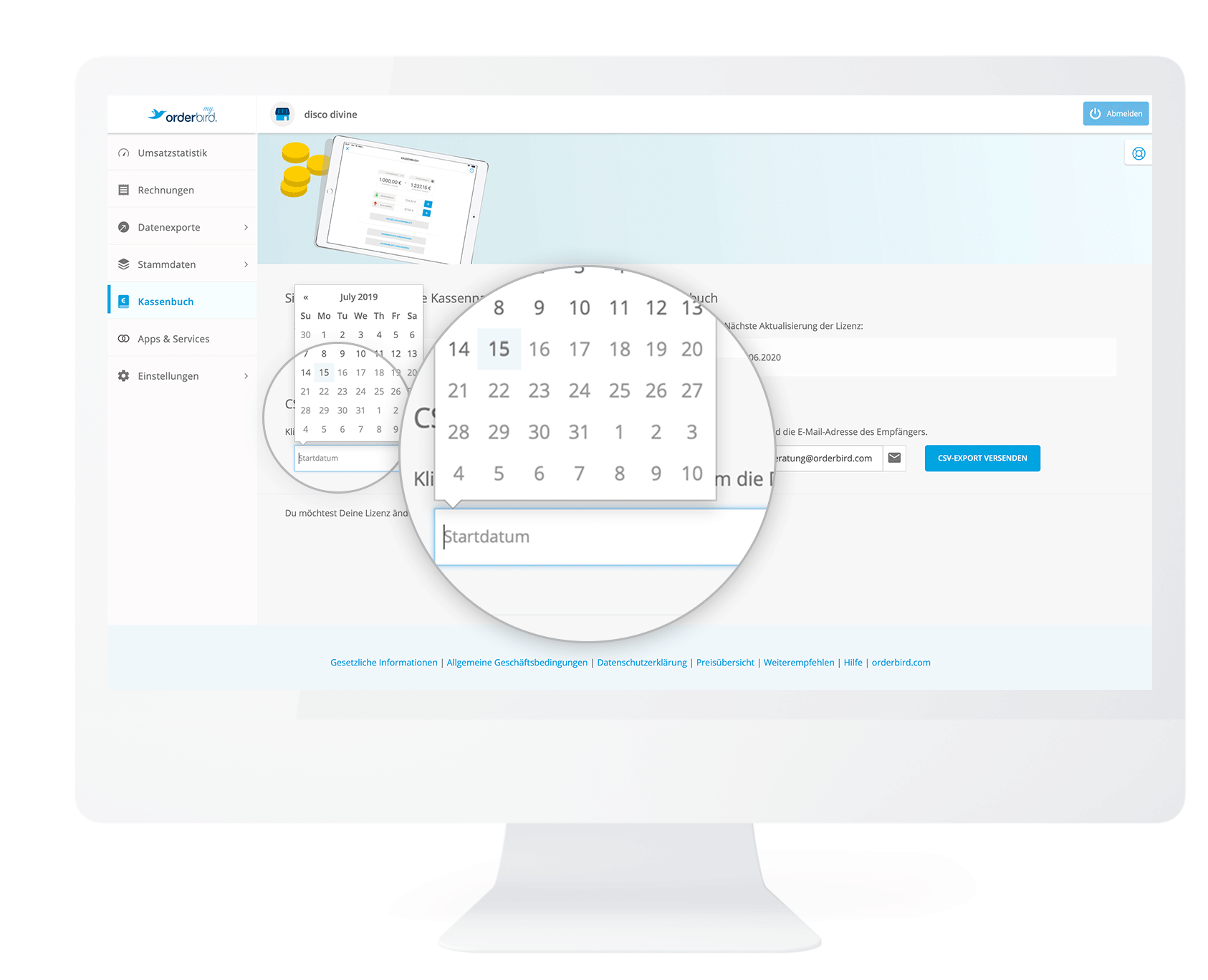
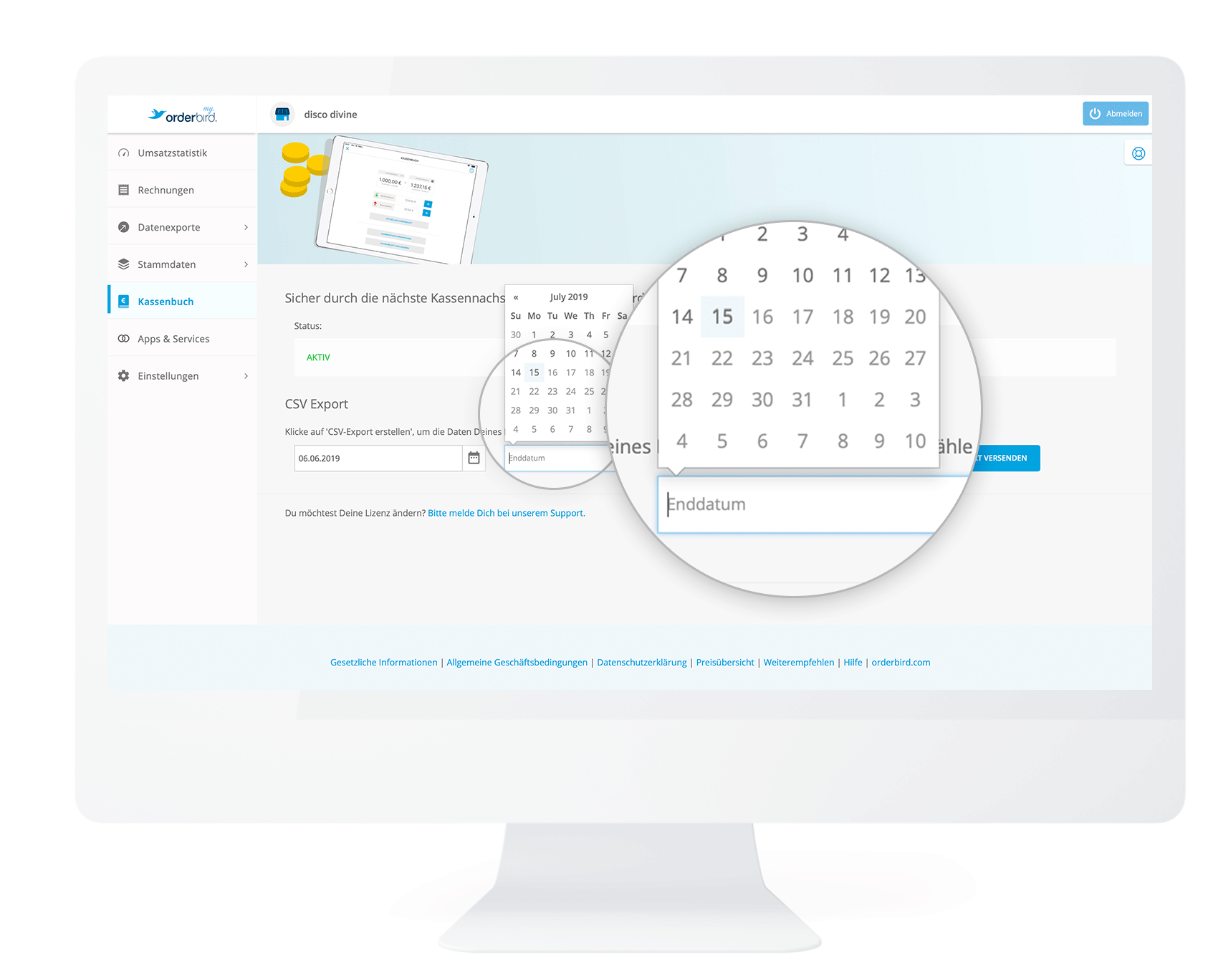
  4. Next, you select the period for the export of your Cashbook pages. First, click on "Start date" and navigate to your desired date, e.g. 06.06.2019.
    my.orderbird_EN_kassenbuchbl_tter_export_05.png
  5. Then click on "End date" and navigate to your desired date, e.g. 15.07.2019.
    my.orderbird_EN_kassenbuchbl_tter_export_06.png
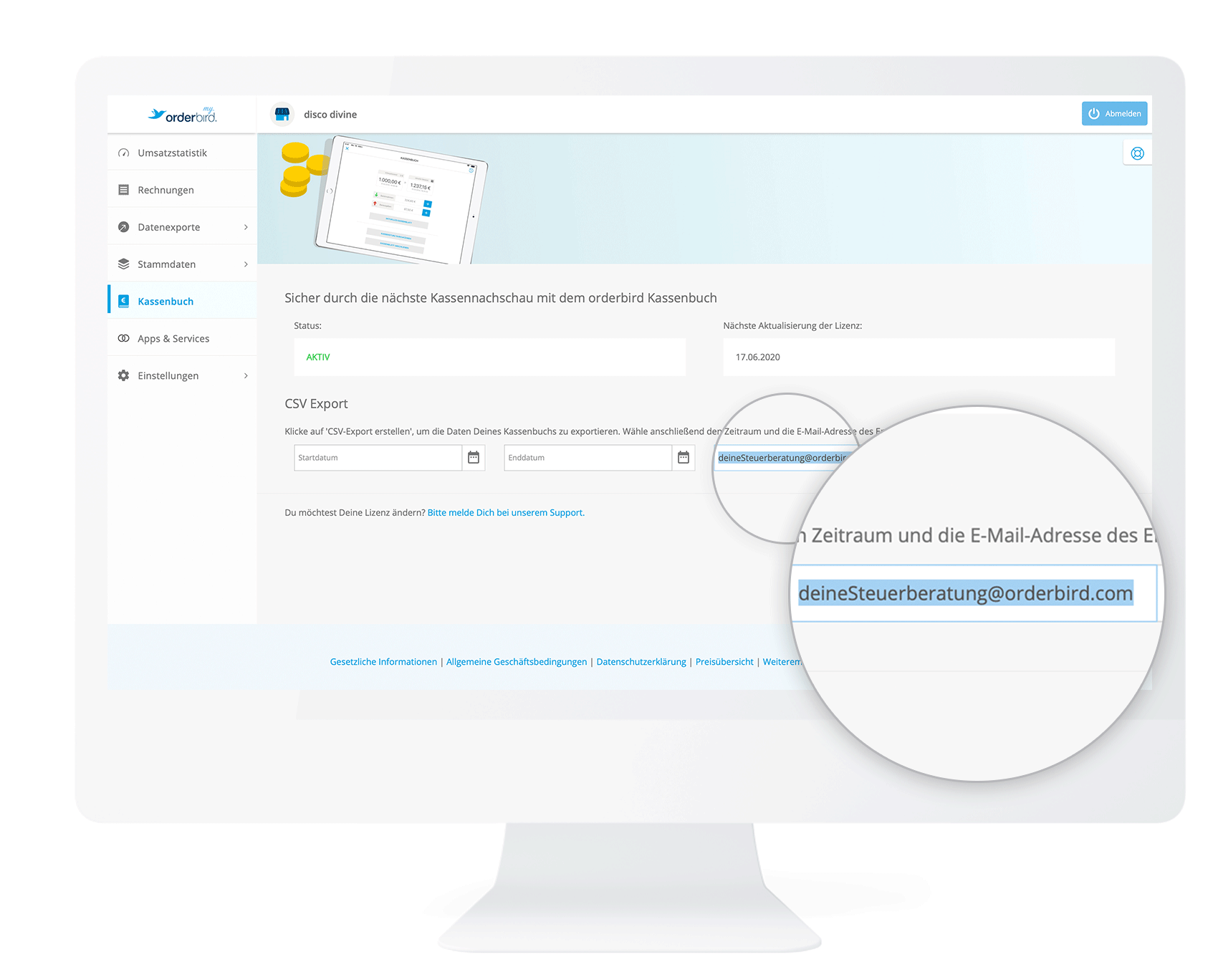
  6. Next, enter the email address to which the Cashbook data will be sent.
    my.orderbird_EN_kassenbuchbl_tter_export_04_mailadress_detail.png
    If you have already entered the email address of your tax consultant under "Settings > DATEV Details", then this email address will be automatically preselected for you. Of course, you can enter any other address!
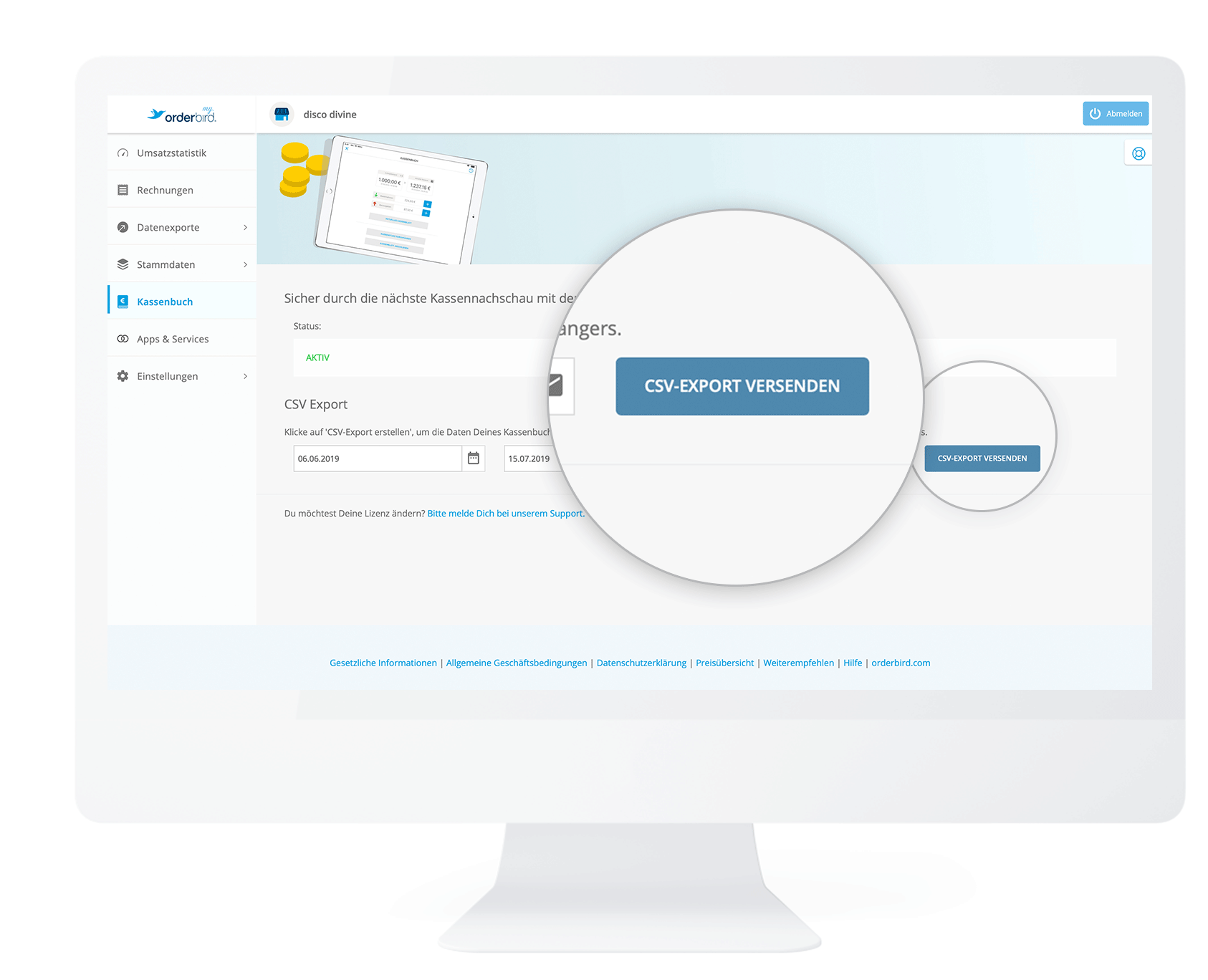
  7. Click on "Request Export".
    my.orderbird_EN_kassenbuchbl_tter_export_07.png
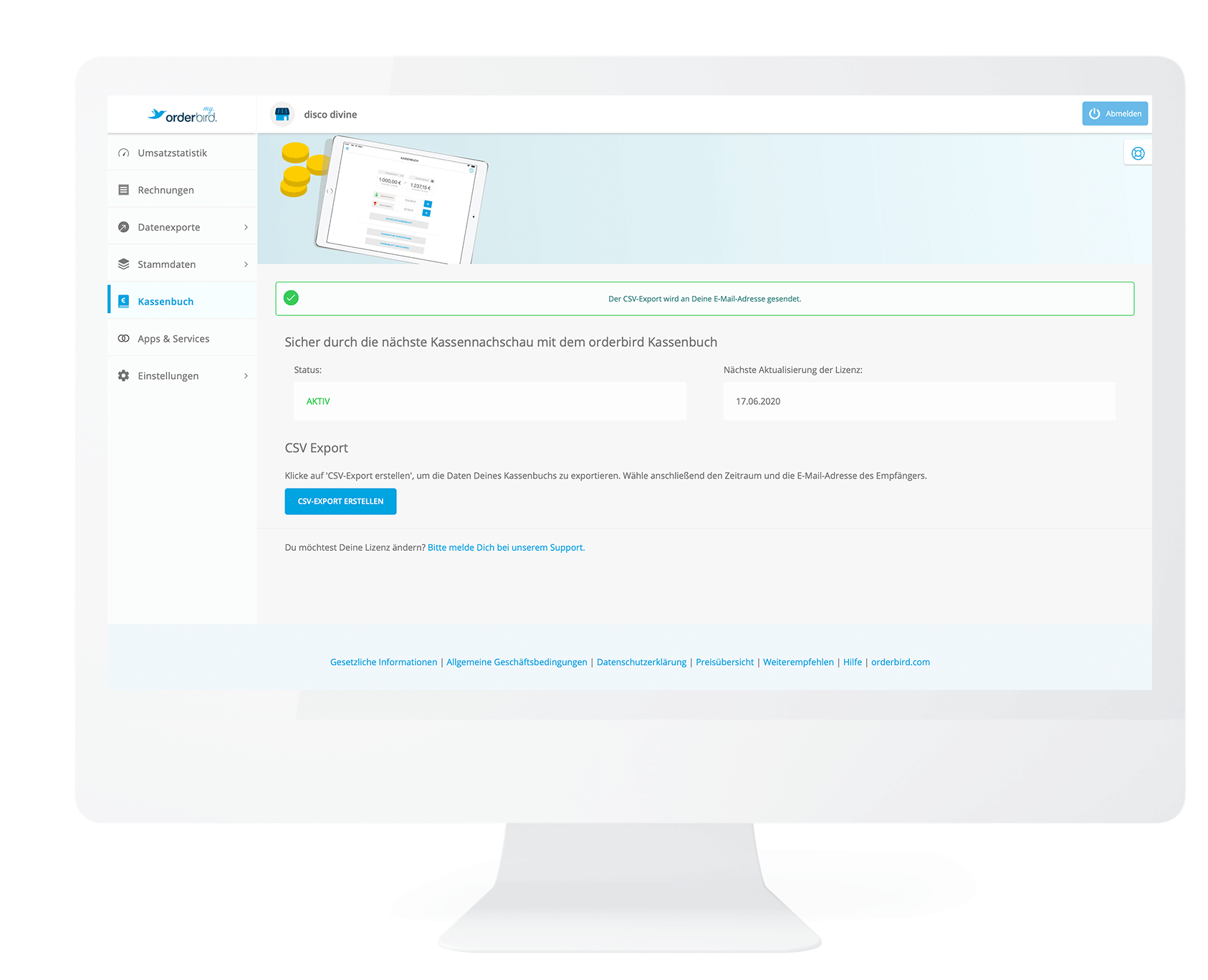
  8. Done!
    my.orderbird_EN_kassenbuchbl_tter_export_08.png
    The email contains the CSV file and will be sent to your entered mail address!

Any questions?

Is it possible to export the receipt photos?

If you take receipt photos directly through the cash register book, they will only be displayed as a preview in the cash register book and cannot be exported. To add receipt photos later to your CSV export, we recommend taking the receipt photos separately as described here:  How can I export my receipt photos from the cash book? This way, you’ll have an additional digital copy of the receipt on your iPad in the Photo Library.

export data csv file

Was this article helpful?

Yes
No
Give feedback about this article

Related Articles

  • What do I have to know when managing a cashbook
  • Who has access to the cashbook?
  • What kind of information does the cash book provide?
  • How do I enter cash withdrawals in the cash book?
  • How do I enter cash income in the cash book
030 208 983 098

About orderbird

With over 17,000 customers — restaurants, cafés, bars, clubs, and beer gardens — orderbird is one of the leading Point of Sales systems for the hospitality industry in Europe. With the mobile POS system orderbird MINI, orderbird also offers a smart cash register solution for service providers, retailers, mobile hospitality, and the crafts.

orderbird was founded in 2011 and today employs more than 120 people.

Address

orderbird GmbH
Ritterstraße 12
D-10969 Berlin
Phone: 030 208 983 098

Opening hours

Monday: 09:00 - 18:00
Tuesday: 09:00 - 18:00
Wednesday: 09:00 - 18:00
Thursday: 09:00 - 18:00
Friday: 09:00 - 18:00
Saturday: Closed (except emergency support)
Sunday: Closed (except for emergency support)


© 2026 orderbird GmbH
  • Imprint
  • Privacy Policy
  • Legal Notice
Expand